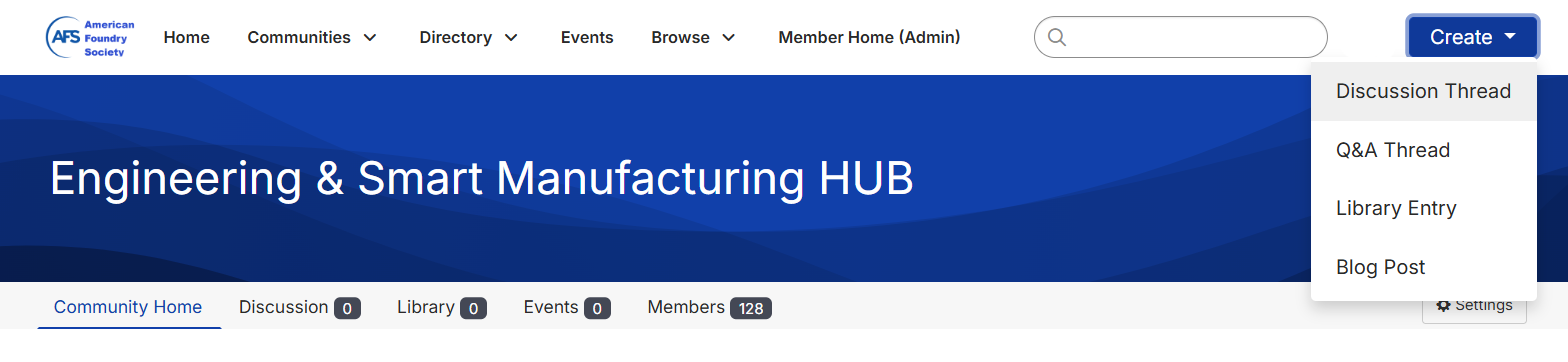
Click the Create button and choose Discussion Thread.
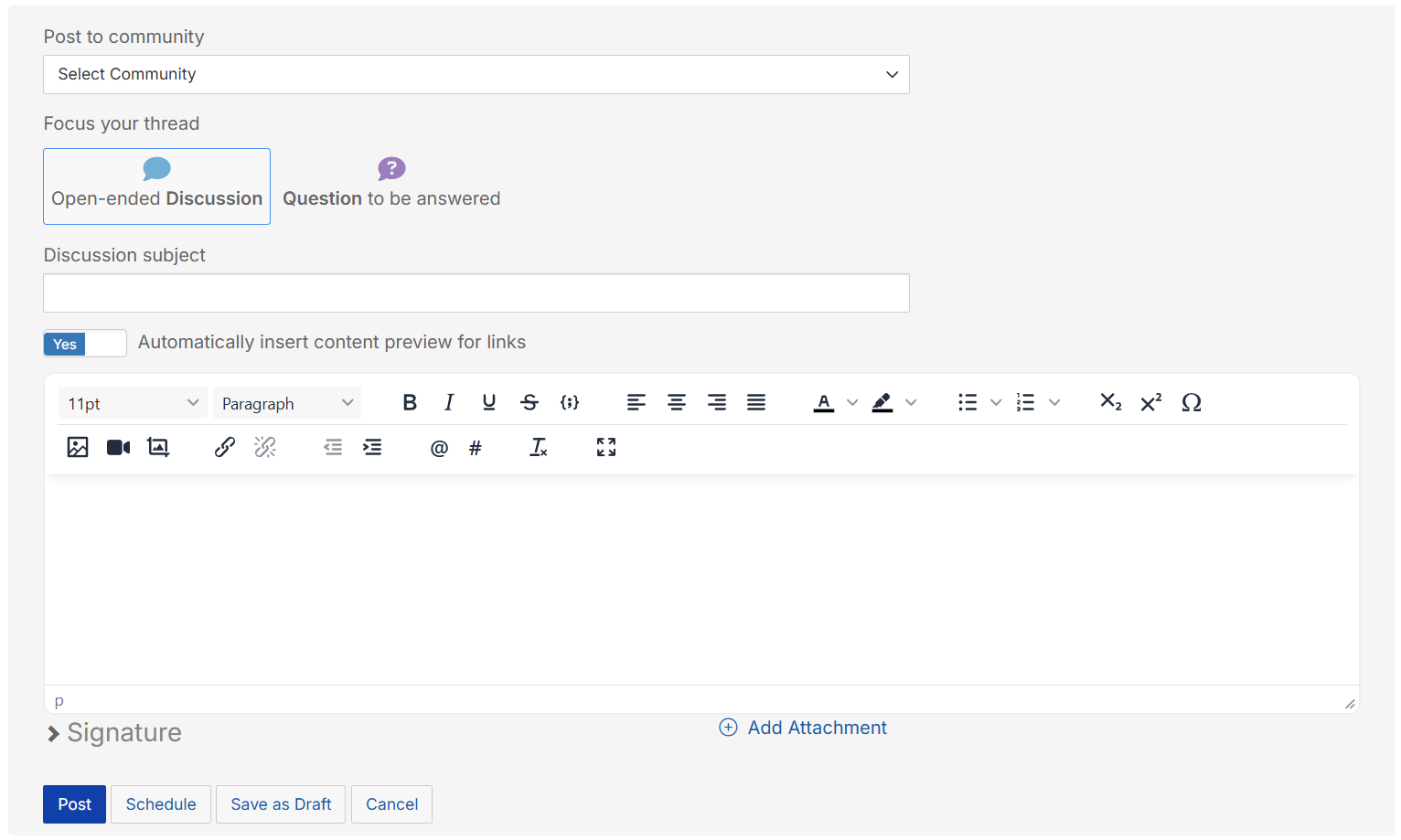
Select the community you want the discussion in. Fill out the subject and body fields.
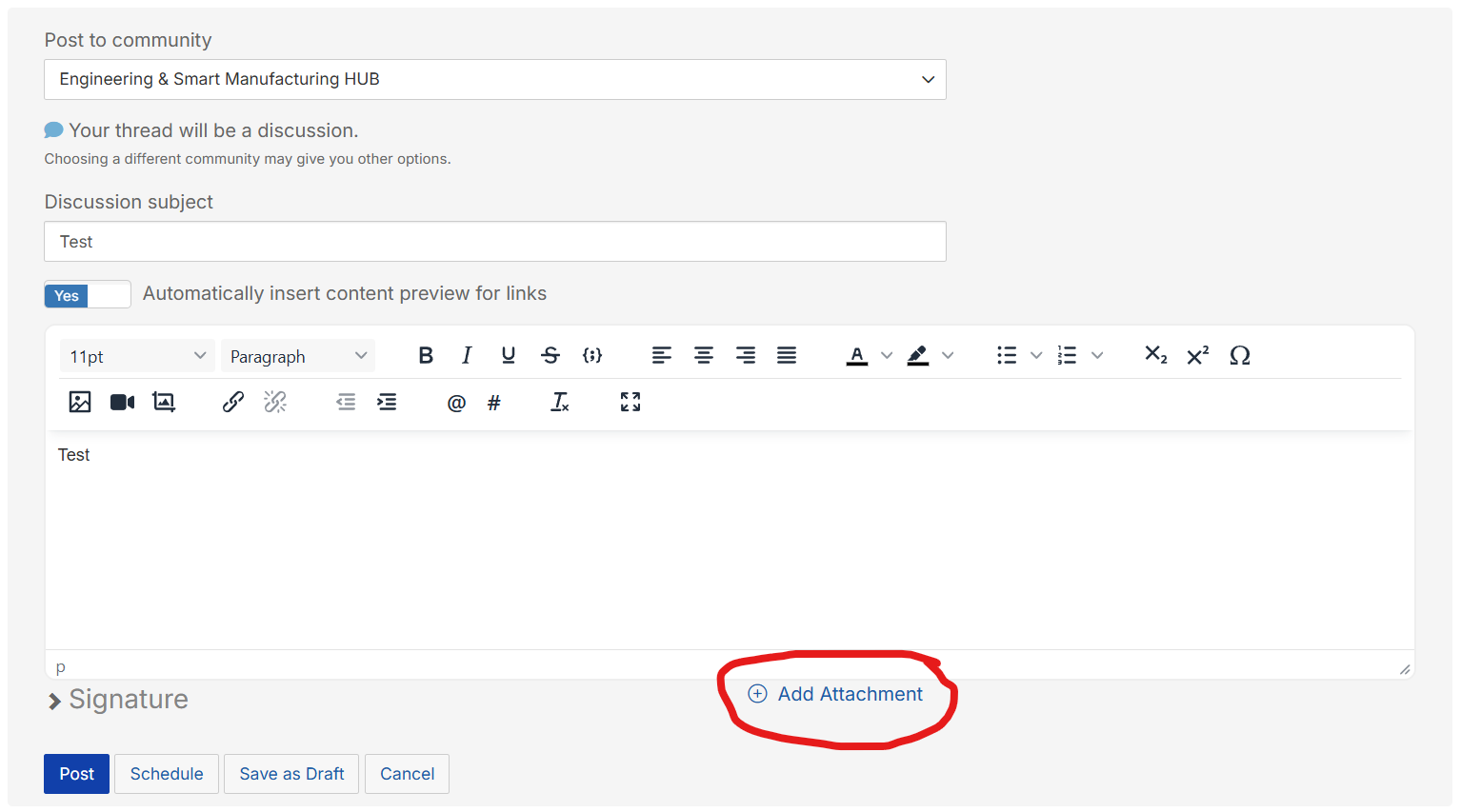
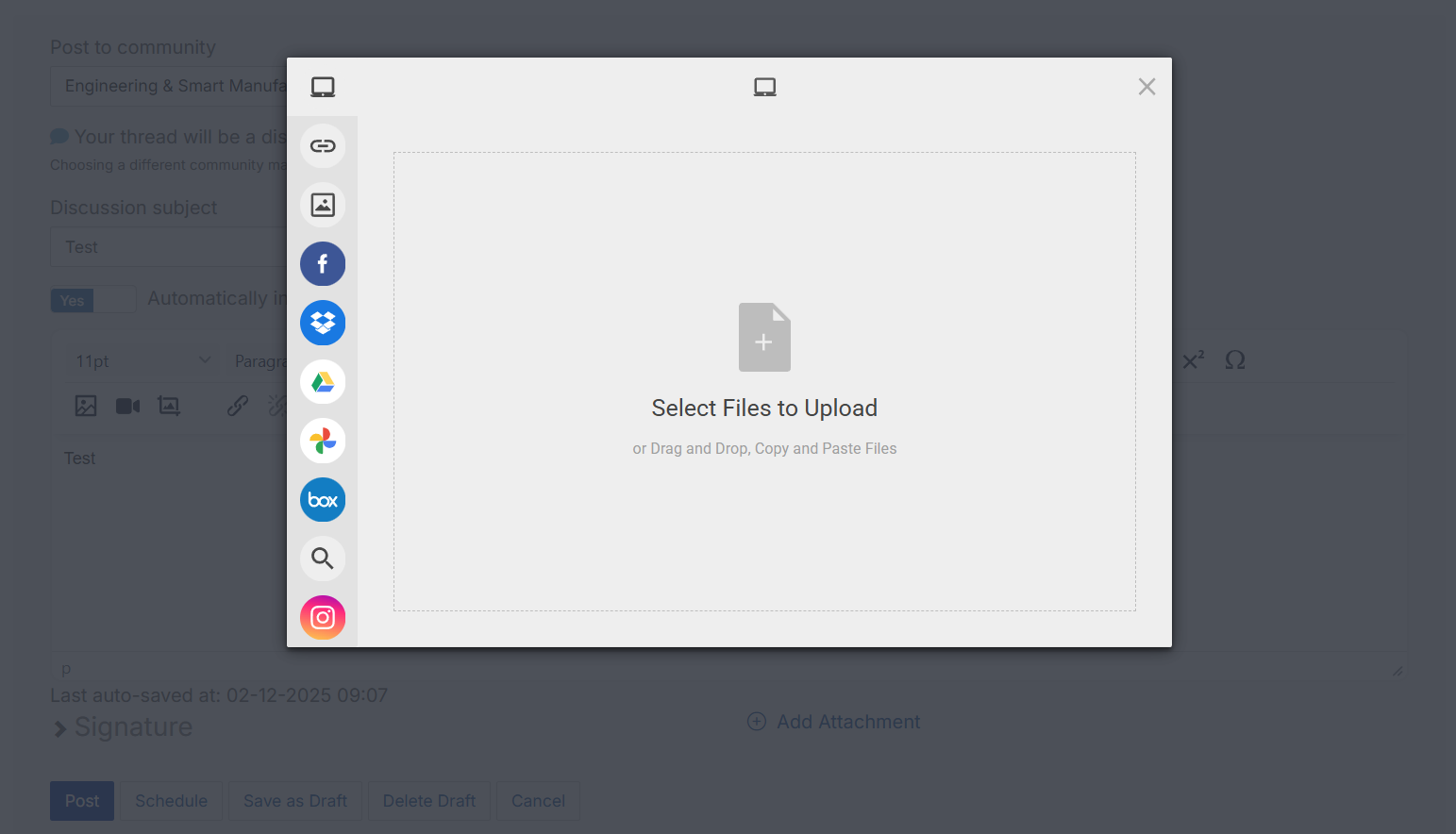
To add attachment(s) click on the Add Attachment in the middle at the bottom of the form.
Add your file.
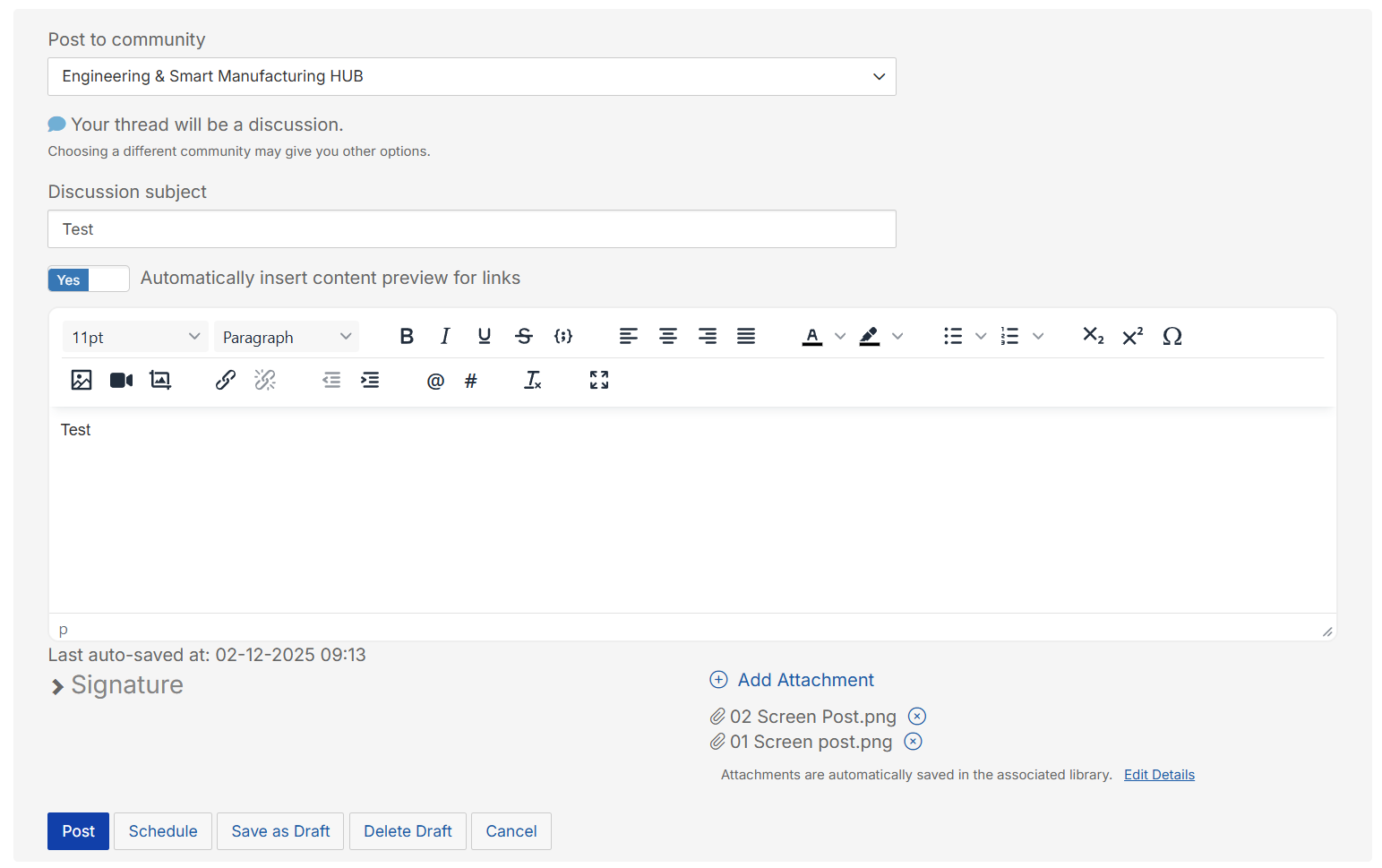
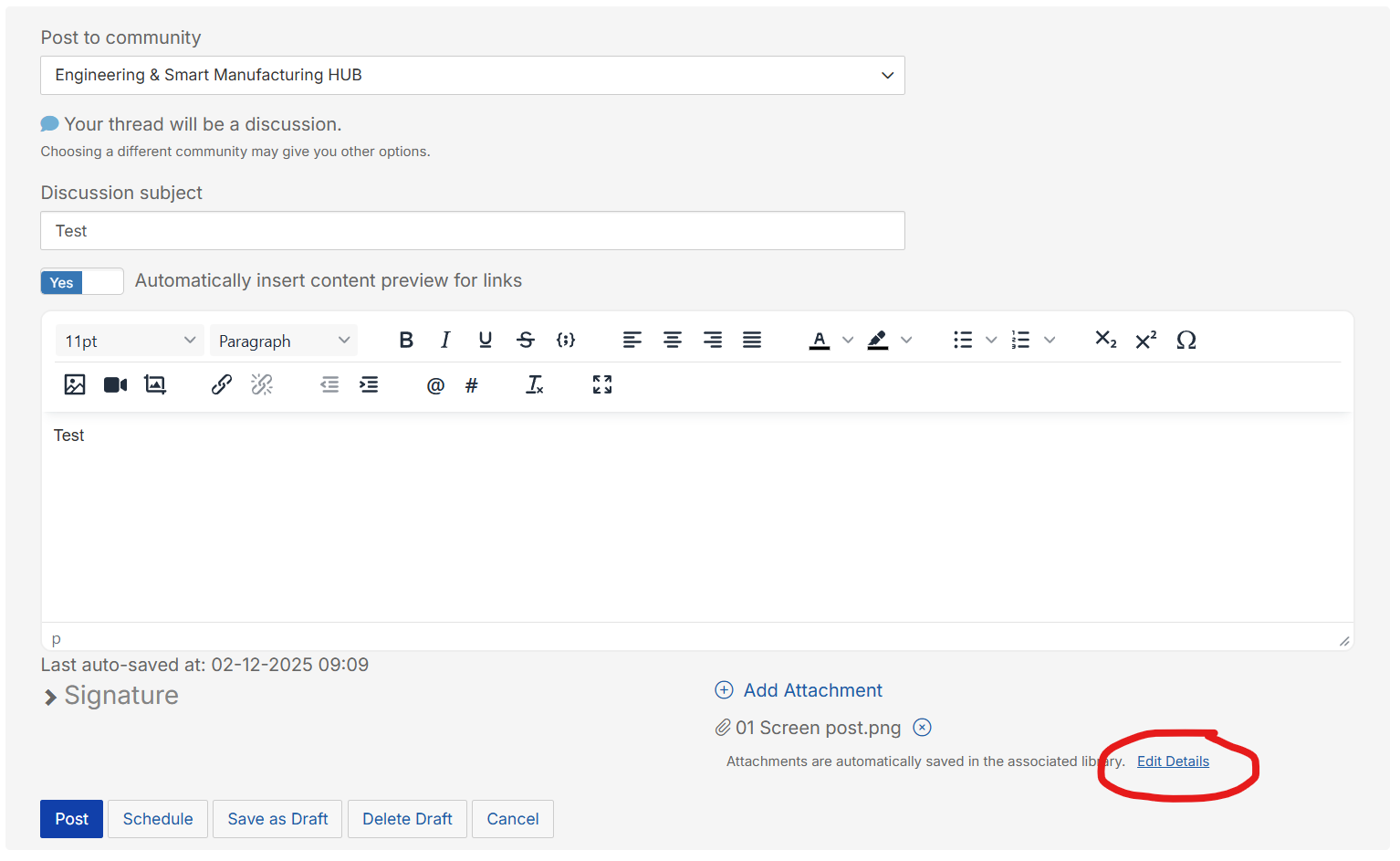
After the file has upload you'll at the middle bottom is a list of the files. Click on Edit Details to choose which subfolder you would like the files to be stored in.
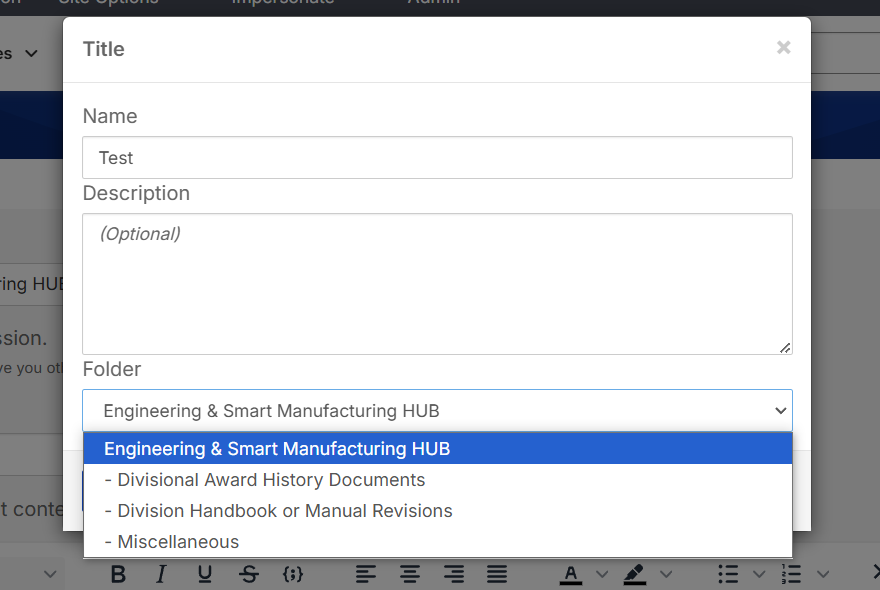
Select the folder would like the files in and save.
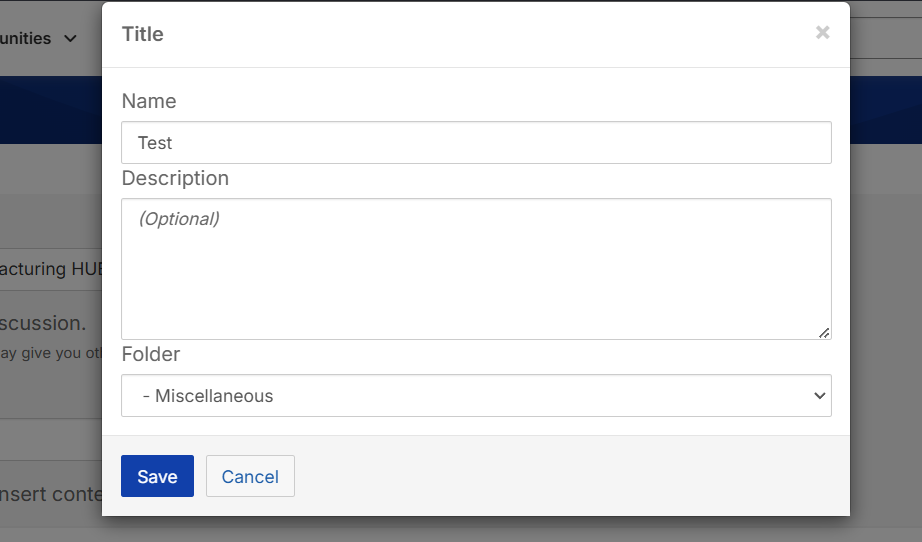
You can now finish by clicking the Post, Schedule, or other button.